
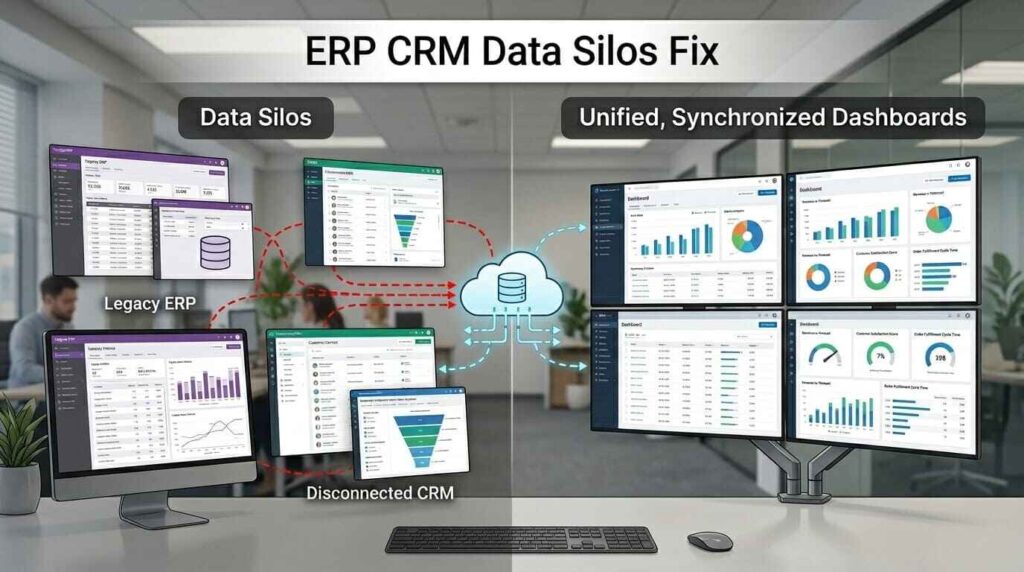
Most enterprises data is scattered across different systems and cannot be shared seamlessly, which slows work processes, spawns errors, impacts sales and finance operations, and ultimately leads these enterprises to make poor decisions.
This is where ERP CRM software integration helps. It connects your systems. It keeps all information in one place. With erp integration with crm, teams work with the same data. This removes confusion and saves time. It also improves customer service and business flow.
What Are Data Silos and Why They Hurt Your Business
Data silos mean data stays locked in one system. It does not move across teams. Each team uses its own tools. This creates gaps in information.
For example, sales may not see invoice data. Finance may not see customer updates. This breaks the flow of work.
How data silos can cause problems
- Slow decision making: teams have to wait for information from others. This delays work.
- Data errors: Human entry results in errors. Data may not match.
- Incomplete Customer Information: Teams don’t have complete customer information. This has an impact on the quality of support.
- Poor team coordination: Lack of team working. This reduces output.
- The inability to track progress: leaders do not have sufficient information. This impacts planning.
How ERP Integration with CRM Fixes This Problem
When you connect ERP with CRM, data flows across systems. This creates one source of truth. All teams access the same data.
This removes gaps between departments. It also improves velocity and accuracy.
Some of the improvements you’ll notice are important
- Common Data for all teams: The same customer/business data is visible for all teams.
- Improved workflow: Improved workflows between sales and finance.
- Correct Reporting: Reports pulling from one system. This reduces errors.
- Faster response time: Teams act on real-time data.
- Improved planning: Leaders make better decisions with full data.
How ERP CRM Software Integration Works
ERP handles business operations. CRM handles customer data. Integration connects both systems.
This link allows data to move in real time. When a sales deal closes, ERP updates. When an invoice is made, CRM updates.
How Organization really happens
- Data mapping: The different fields in the two systems are matched.
- App connection: The various applications are linked.
- Data sync: The data flows from one system to the other and in real time.
- Testing phase: Teams check data to see that it flows.
- Live deployment: The system goes live for use.
How to integrate ERP with CRM in a few steps
Many businesses ask about how to integrate ERP with CRM. The manner desires planning and the right tools.
Step-through-Step Method
- Check business needs: List what your business needs from integration.
- Choose the right tools: Select systems that support integration.
- Recognize Data flow: Pick the data flow.
- Configure integration: Integrate systems via APIs or custom solutions.
- Test the system: System to see if data can pass through without errors.
- Train staff: Educate staff on use of new system.
Challenges face in ERP CRM integration:
There are a few problems with integration. It is a advantage for you to know them in order to prevent any conceivable delay.
Things that can create difficulties in your process
- Data mismatch: The existing data might not be compatible with new formats.
- System restrictions: Some systems may not be able to accommodate a complete integration.
- Time for setup: There is a driver need for time and planning that is associated with the integration.
- Resistance to user change: Initially teams may be reluctant to change.
- Financial obstacles: There can be a considerable start-up expense.
Smart Ways to Do These Things
All these problems can be addressed with a proper approach. This is a significant one where planning is involved.
Solutions That Help
- First clean your data: eliminate errors before integration.
- Get help from the experts: utilize professional teams for installation.
- Start small: It is advisable to start by identifying the key features at first.
- Instruct employees ahead of time: Support people in learning new systems.
- Track system performance after launch: Monitor system performance after launch.
Real Business Impact of Integration
Businesses see strong results after integration. It improves both operations and customer service.
Results You Can Expect
- Speedier sales process: Sales-oriented teams deal with deals with better info.
- Improved customer understanding: Organisations know what customers want.
- Better cash flow: Payments are quickly tracked using finance.
- Better team coordination: Departments are coordinated together.
- Increased productivity: Teams can save time and man hours.
Choosing the Right Partner for Integration
Integration needs the right support team. A skilled partner can save time and reduce errors.
Look for a team with strong experience. They should understand both ERP and CRM systems. They should also offer custom solutions.
A good partner will guide you from start to finish. They will also support you after launch.
Construct a Connected System That Works For You
A lack of data sharing causes your business to grow slower. They make a mess of things and prevent the use of time. This can be addressed with a Connected system. It enhances and consolidates all your data. Promotes teamwork. It also boosts customer service.
With the right setup, your business can run in a smooth way. You can track data, manage teams, and serve customers with ease. This is where expert help matters.
The Farber Consulting Group Inc. offers custom solutions for ERP and CRM integration. Their team builds systems that fit your business needs. They also help improve data flow and system performance. If you want a system that supports your growth, this is a smart step forward.
